NATIVE C++ PLUGIN · 3DS MAX 2021–2027
One click on the wall. The ivy grows over it.
Pick the climb objects, click the seed point and press Grow. Branches climb clinging to the surface, fork, turn the corner and go around whatever is in the way. At the end, Create Geometry hands you native 3ds Max mesh, spline or Chaos Scatter.
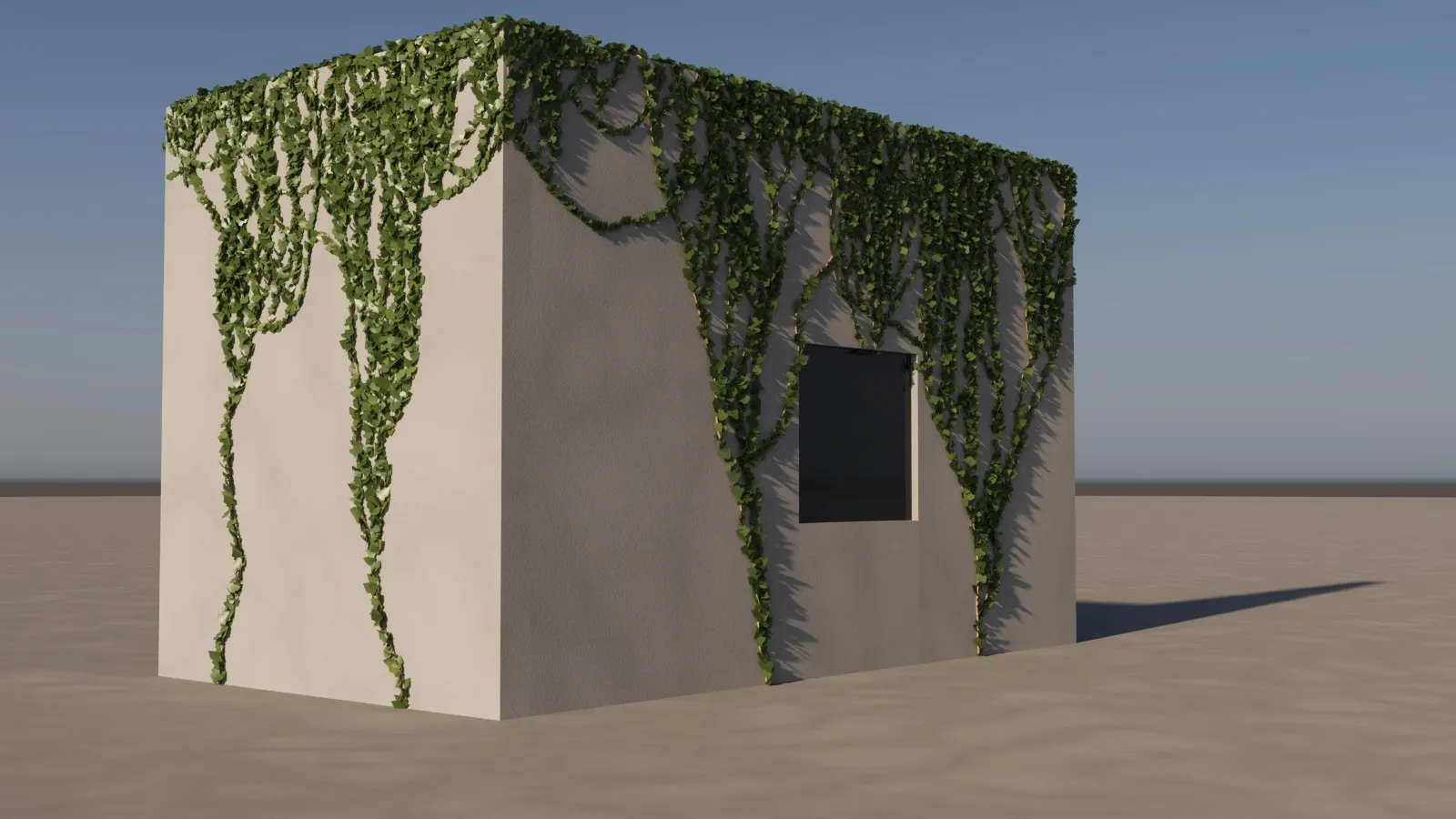
Facade done, render ready. The ivy is missing — and it takes the longest.
Hand-made climbers are splines drawn branch by branch with leaves scattered on top, hoping none of them cut through the wall. A generic scatter spreads leaves, but it can’t grow: it doesn’t climb, fork or go around the window. AnimArq Vines simulates growth over the scene’s real mesh — adhesion, gravity, branching — and only then builds branches and leaves. The plant follows the architecture because it grew on it.
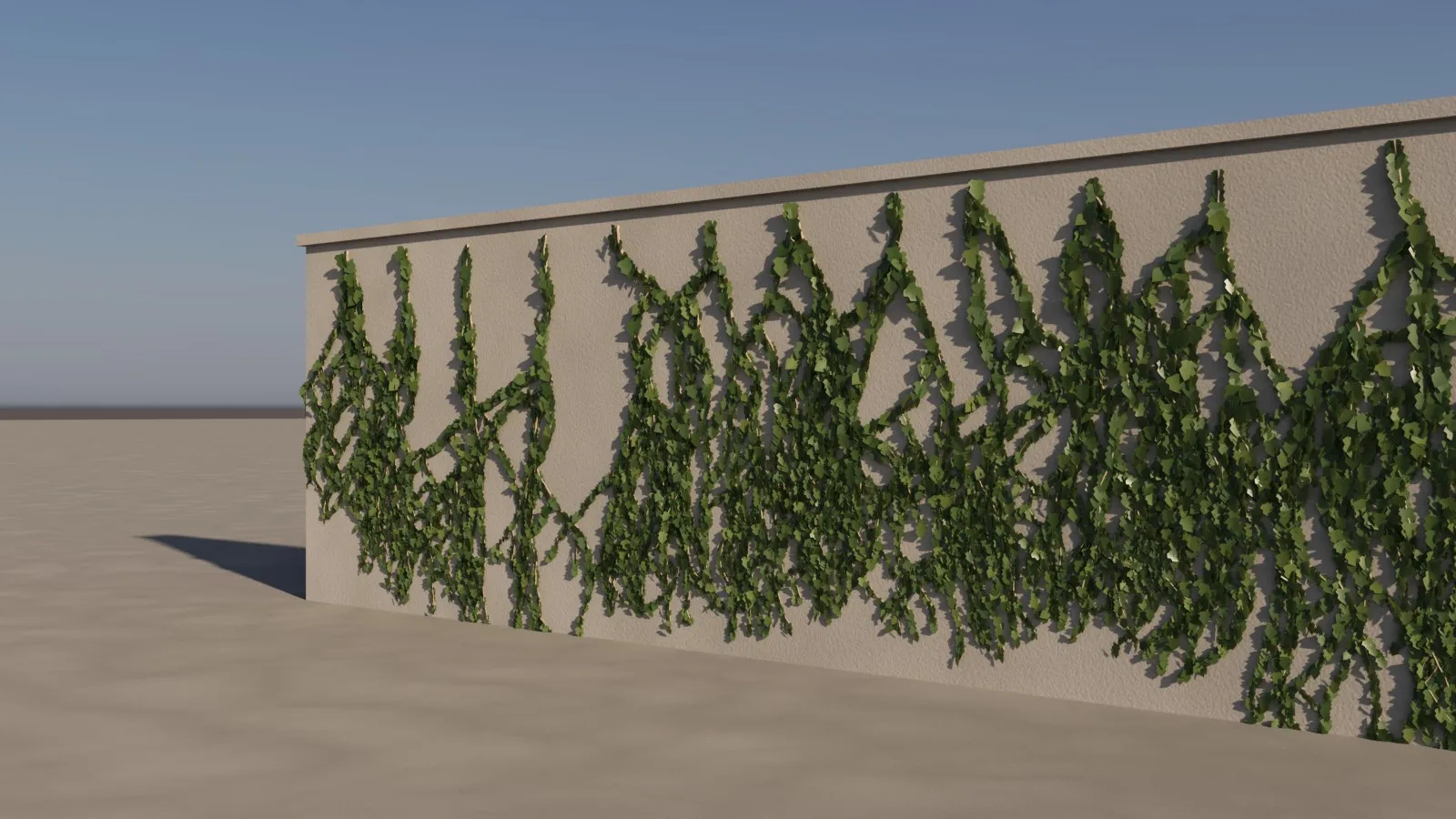
The same ivy climbs the facade or spills off the wall.
In the Down direction the seed goes high on the wall and branches run down the face. Several seeds along the wall, each with its own seed number, become one continuous curtain — and no leaf cuts through the concrete, because one that would is discarded before it enters the mesh.
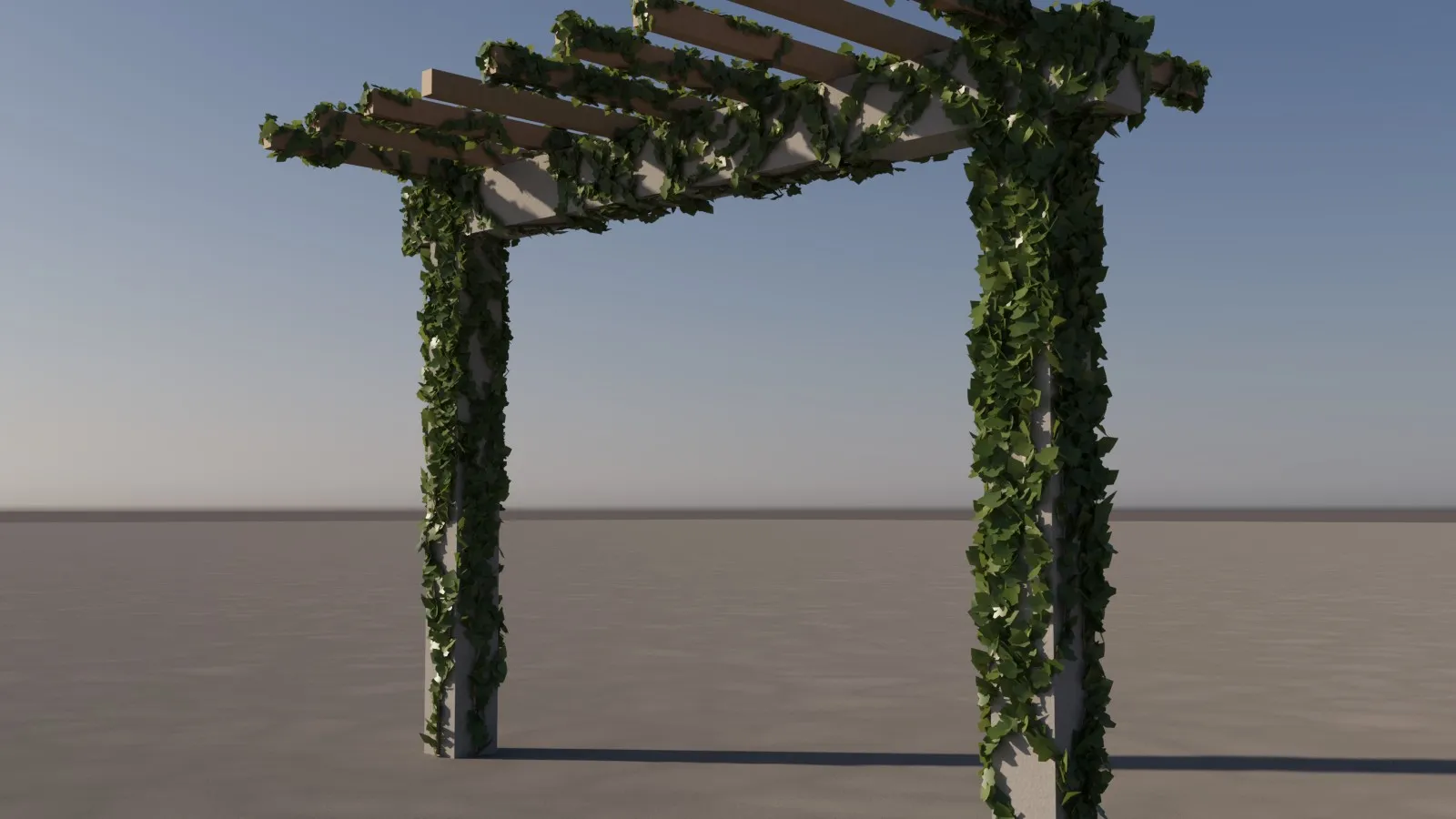
Column, beam and slat: everything on the list becomes support.
Climb objects are combined into one mesh before growth, so a branch moves from column to beam and from beam to slat with no seam. This pergola is twelve objects and four seeds; the plugin takes up to 16 million triangles combined.
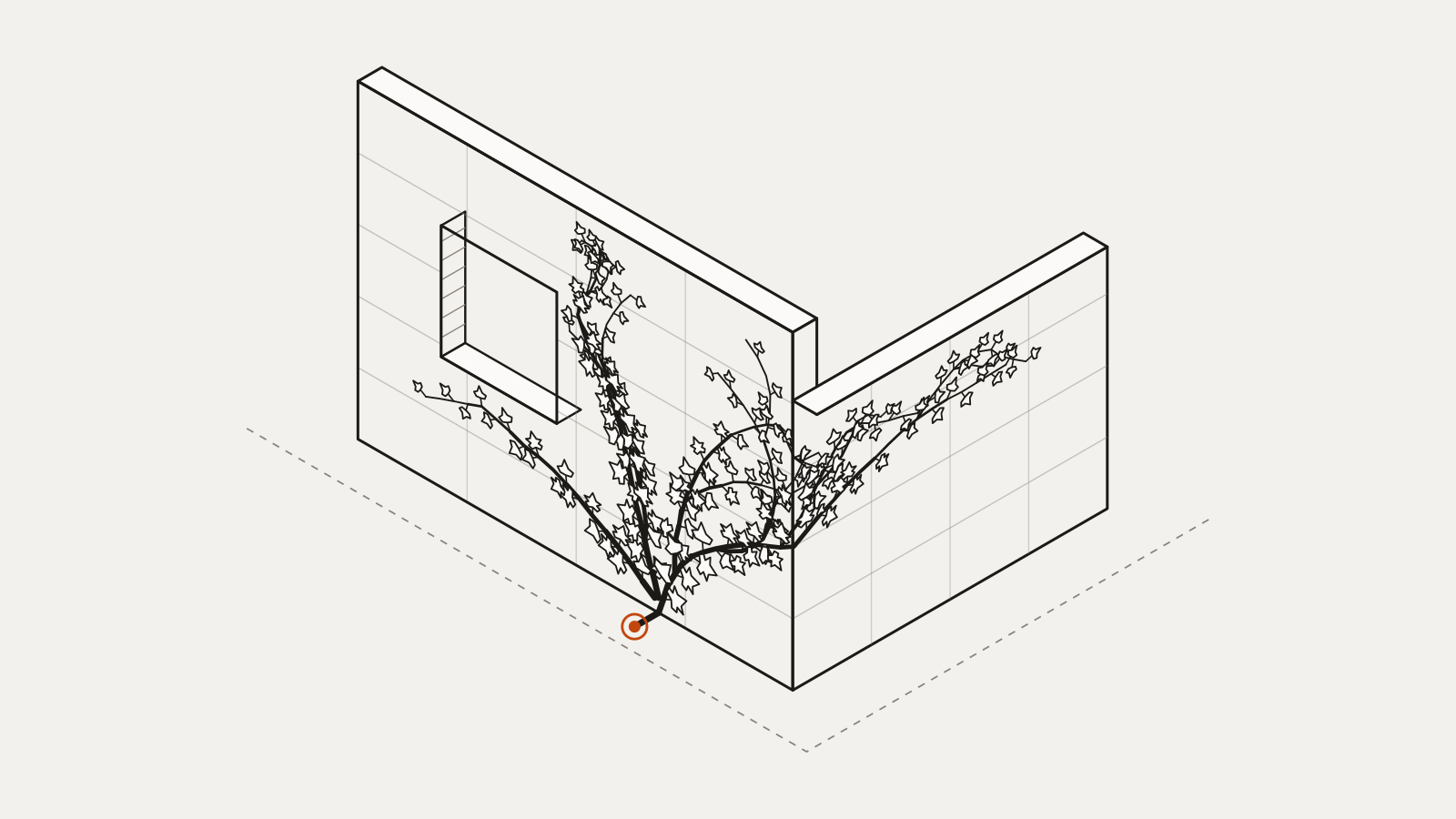
The seed decides where it starts. The wall decides the rest.
Every branch step adds up four forces: main direction, randomness, gravity and adhesion to the surface. A branch stuck to the wall feels no gravity; a branch that floats past the limit droops and looks for support. Click the seed in mid-air and the stem travels to the nearest point on the object before it spreads. Pause, raise the age cap and resume where it stopped.
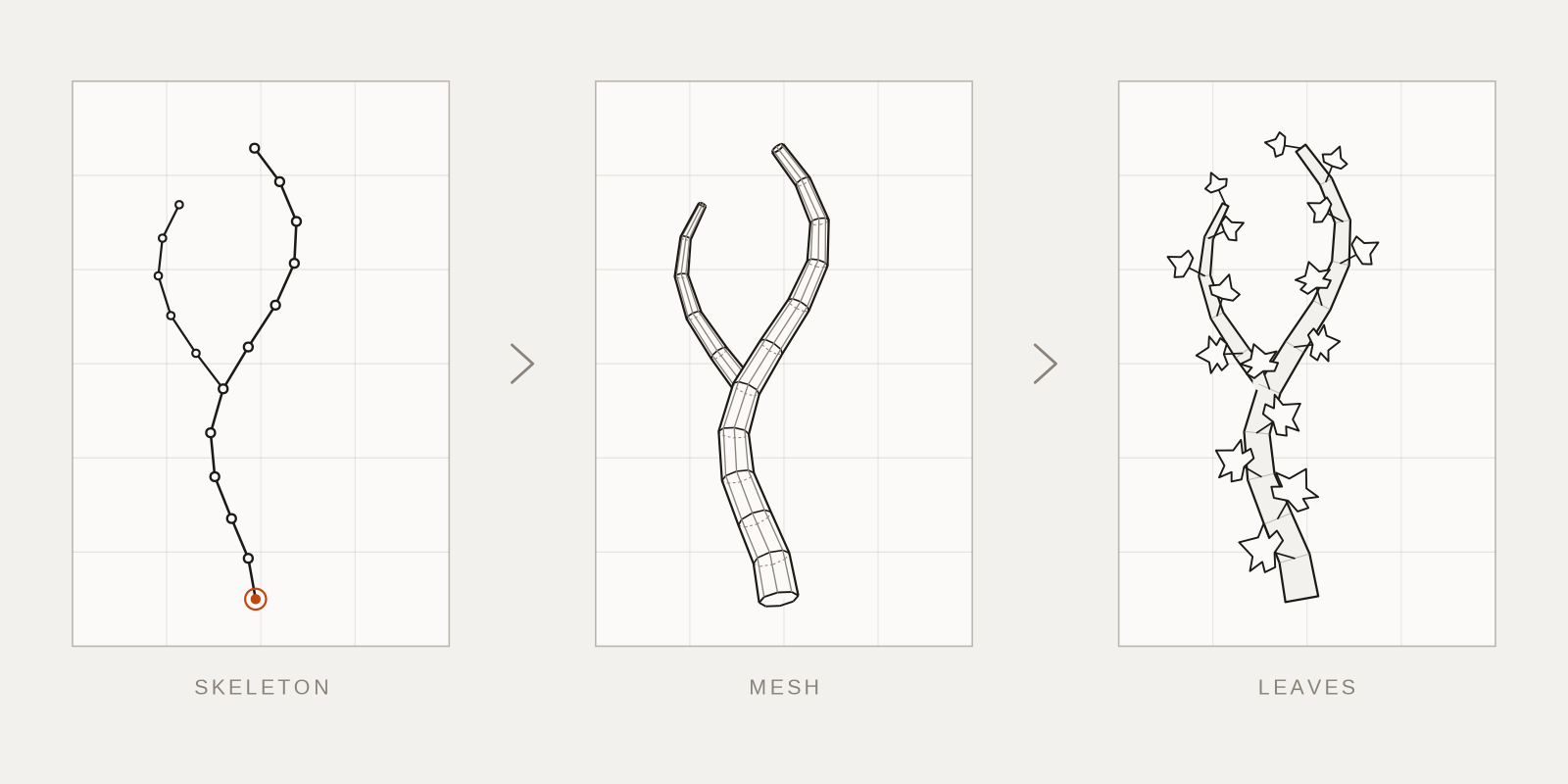
From skeleton to a mesh that takes a bark texture.
The skeleton becomes a quad tube, with 8-sided rings tapering to 35% of the radius at the tip, with no twist along the branch. The UV wraps the tube once and advances by arc length, so a bark texture runs with no visible seam. Leaves go on the nodes, aligned to the object’s face normal, and the tip gets leaves half the size of the root’s.
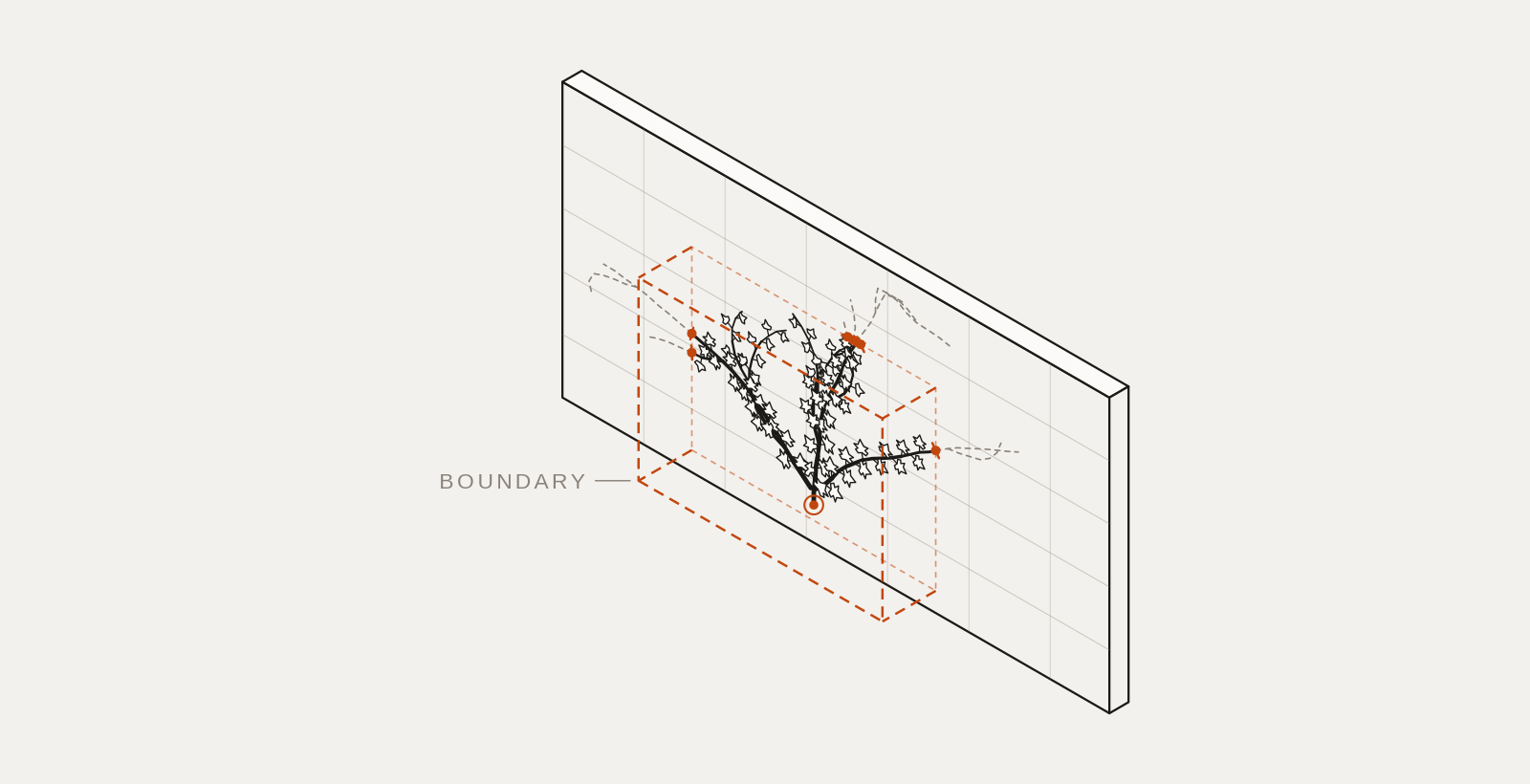
A box tells the ivy how far to go.
Pick a native Box from the scene as the limit and branches stop the first time they leave it. It works for automatic growth and for hand-drawn strokes: the outside stretch is dropped, with no bridge over it. The box can be rotated, scaled or mirrored — the whole volume is read at the moment of Grow.
From install to an ivy-covered house, in 20 minutes.
The video covers the whole plugin: the first plant, hand-drawn strokes, forces and branches, Create Geometry, species, Corona material, your own leaves and flowers, presets and the boundary box. It ends on a pergola and a house. Audio in Portuguese.
Four moves.
Pick what to climb
One or more climb objects: wall, fence, column, trunk. Up to 16 million triangles combined.
Click the seed
On the surface or in the air near it. Or draw strokes by hand in the viewport to guide the branches.
Grow
The skeleton shows in the viewport as it grows. Pause, resume or start over with another seed.
Create the geometry
Create Geometry emits the objects. Changing branches or leaves afterwards rebuilds the mesh without regrowing.
Growth, branches and leaves in one plugin.
Zero Scene Bloat
The plugin generates and leaves the scene: what stays in the file is Editable Poly, SplineShape and the renderer’s native objects. A .max with ivy opens clean on a machine without AnimArq Vines, with no missing-DLL prompt — render farm included. The cost is owned: re-tuning the plant means regenerating.
Automatic, by hand or both
In automatic mode the plant grows on its own from the seed. In hand-drawn mode you drag strokes over the objects and they snap to the surface. In Both mode the strokes come in together with the growth. Up to 64 strokes per plant.
Up or down
Up for ivy climbing a facade, Down for the kind that spills off a wall or a planter. Branching, spacing between branches and how many parent branches can sprout are parameters.
Three leaf species
Ivy, with a lobed blade; Bougainvillea, pointed oval and drooping; Jade, broad oval. The species sets leaf size, density and droop in one go — and you can still change each of them afterwards.
Your own leaves and flowers
Up to 8 scene meshes on the same plant — leaf, flower or bud — each with its own weight, size and material ID. Model in the Top view, pivot at the base of the stalk. Each model’s UVs and material go with every copy.
Leaves that touch the wall
Aligned to the object’s face normal or perpendicular to the branch. Random rotation, tilt and scale, a root-to-tip gradient and droop. A leaf that would cut through the wall is discarded before it enters the mesh.
Three leaf outputs
Unified Mesh merges leaves and branches into a single Editable Poly. Scatter hands the blade and the points to a Chaos Scatter, which serves Corona and V-Ray. Instances creates one node per leaf, with a count warning before emitting.
Branches as mesh or spline
Editable Poly with quads, SplineShape with continuous curves, or both. Optional native MeshSmooth. Separate material IDs for branches and for a leaf range, ready for Multi/Sub-Object.
Material for the active renderer
With Create materials on, the plugin builds a Multi/Sub-Object in the scene renderer’s class — Corona, V-Ray or Physical Material — with bark and a species-colored leaf with translucency.
Live editing
After emitting, changing radius, taper, smoothing, density or leaf size rebuilds the geometry in place, without regrowing. The same seed always returns the same plant.
Plant library
Every generated plant becomes a recipe: seed point, seed number, strokes, limit and parameters. Regenerating reproduces the identical plant over the same object. If the object was renamed, the recipe warns and asks to re-point, instead of growing in the wrong place.
It won’t freeze 3ds Max
Collisions go through a BVH built on several threads: in the reference test, a 1-million-triangle object is ready in 0.3 s. Age cap, node budget and minimum step are mandatory limits, and growth pauses on its own when it hits the age cap or the budget.
Numbers and limits
What ships in the plugin today.
- 2021–2027
- 3ds Max versions, on 64-bit Windows
- 2
- machines activated per licence
- .gup
- native plugin, opened from the Utilities panel
- 3
- leaf species: Ivy, Bougainvillea and Jade
- 3
- leaf outputs: Unified Mesh, Scatter and Instances
- 8
- leaf, flower or bud models of your own per plant
- 16 M
- triangles combined across the climb objects
- 64
- hand-drawn strokes per plant
- 64
- plants kept in the library
- 500
- named presets of your own, with export and import
- 0
- plugin dependencies inside the saved .max
Today Scatter outputs to Chaos Scatter only. Corona Scatter and Forest Pack are not part of this version.
Before you buy
No. It is a one-time payment: the licence is lifetime and keeps working with no renewal.
3ds Max 2021–2027, on 64-bit Windows.
Close 3ds Max and copy the file pair into your version’s plugins folder: AnimarqVines.gup and the en-US subfolder, with AnimarqVines.gup.mui inside. When Max opens, the plugin shows up in the Utilities panel, under More…, as Animarq Vines — picking it opens the tool window.
No. AnimArq Vines only generates: what gets saved is Editable Poly, SplineShape and the renderer’s native objects. The .max opens clean on another machine and on the render farm, with no missing-DLL prompt. In exchange, the plant isn’t parametric in the scene — to change the growth, regenerate it from the library.
Yes. The branch and leaf mesh works with any renderer. In Scatter output, leaves go to a Chaos Scatter, which ships with both Corona and V-Ray. With Create materials on, the material is built in the scene renderer’s class: Corona, V-Ray or Physical Material.
Climb objects can add up to 16 million triangles. Collisions go through a BVH built on several threads, and growth has an age cap and a node budget: when it hits one, it pauses instead of freezing Max.
Facade needs ivy? Click the seed.
One-time payment, at a launch price. The licence is yours for good and activates on two machines.